Playing around with a camera is always fun and to be quite honest with you, I've hardly done any photography in my life (besides on my phone of course). We were asked to produce 4 images, experimenting with the functions of the cameras given, the lighting and the over all look of the image.
Here are the four examples, which we worked on as a group. Each member of my group submitted a personal object, and we arranged the objects in different ways which we thought would be fitting. We also experimenting with the lighting around the objects along with what worked best placed next to another object. For example, my blue pony pin looks really good against a black textured jumper.
I like how the photos came out, but considering I don't have a passion for photography; i didn't get too existed about this brief. But at least I had fun playing around and experimenting.
Photoshop isn't really a piece of software I use very often, I'm more into traditional techniques and getting paint under my fingernails. But today I had my official introduction to the mighty and all powerful photoshop. And I really enjoyed using it. Blending within photoshop is such a useless tool, I experimented with blending by mushing two photos together and creating a fire breathing dragon (image below). I also experimented with 'masks', a tool used to stack up images then scratch away at them to reveal the images beneath. (image below). Also, I leant how to add colour over the top of an image. I took this opportunity to paint makeup across a lovely mans face.
Pose to Pose animation is a term used to describe key frames moving in a sequence within an animation. We were told to experiment with pose to pose animation by studying how a swinging ball would move and replicating it within 2D traditional animation.
All together, my simple animation was 24 frames; Producing the animation at 12 frames per second I managed to cover 2 seconds all together. (One swing completing about 12 frames)
I'm quite proud with how this experiment with pose to pose turned out, sure looking back on it I can see areas I'd quite like to improve or possible adapt; but that's all part of improving my skills after all. I did learn a lot about timing with this experiment, how weight effects speed and timing. For example, the momentum gestated by a swing, could make the ball remain at the end of the 'curve' for longer, then fall back with gravity.
Flash is a common piece of software used for animation. A 'simple' program which is often the first program introduced to animators and students alike. I'll be honest here, I really hated using his software. I don't know if it was just the mac I was using messing up or my own mind; but what seemed to take everyone else a few clicks took me the whole lesson.
However, I do understand the appeal to flash and I'm sure in the future I could consider it an option to use. (if I felt more relaxed about it's tricky functions and didn't get so stressed out) Anyways, below are my two experiments using the software. The first one was a simple play around with different shapes and animated movements. The second, was a test to see if I could input work from photoshop that I had drawn into the software without too much hassle...
Pixilation is classed as a stop-motion technique, where the human body is used in the same way puppets or similar are used in animated stop motion sequences. The actor becomes a living mouldable shape, that can be used to act out anything - realistic or otherwise. This technique is often used to blend animation and live action together.
Each frame is captured with a single image - a photo. These photo images are lined up much like how animated frames would be, for our project we were told to use 12 frames per second. Which wouldn't be fast enough it'd speed by and wasn't slow enough it'd look dull.
When I began storyboarding my ideas out I based my project on the theme of 'parent and child'. I know I wanted this project to be more comical then serious and rather silly. I was heavily inspired by my grandmother with the character I played, the parent. And dressed up my friend to semi resemble a child; basically, I forced her to wear blusher and put a silly head band on her. I also begged a friend of mine to capture the photos.
When filming I didn't expect for us to race threw all the shots as fast as we did. We ended up completing the storyboards on far too few frames. I also didn't expect to get as hot as I did and ended up having to take breaks every few frames. Not only that, I'm pretty sure my friends knees were red raw by the end of filming. Sorry Jemma.
In the end, after I had transferred all 325 images into the Mac, I began editing them into a video format with 'After Effects'. I struggled. I don't know if it was the software or me, but I find after effects so difficult and pointlessly complicated to use. Also, when editing and saving the video. An unknown error occurred. Where half way into the animation, the frame size would shrink. I had and STILL have no idea why it did that. I also have no idea how to fix this problem and ended up saving the video anyways..
Over all I'm pleased with the end result of this project, considering this was the first time I was introduced to 'live action filming' and Pixilation in general. I would like to revisit this media in the future and perhaps even mix the 'problem' with resizing within the video.
Despite having only been using Photoshop for 3weeks, I felt pretty confident with the idea of animating using the software. The last time I animated in this way, I didn't use 'onion skinning' and hadn't really heard of it before. Onion skinning mimics the traditional ways of animation, in the sense that the layer is part 'transparent' so the layer previous can be seen. Which makes animating using Photoshop a lot more effective and quick. It also lines up the animation into a video file or even a .Gif file.
To begin with,
I tested out this animation software with a basic bouncing ball. Much like how I did when I discovered flipbook animation. However, today we were focusing on elements. I decided to add flames to the ball, so I could play around with how the fire would react to movement, speed and even touching mass.
I'm pleased with how this test animation turned out, in fact I had a lot of fun drawing the frames out and messing around with the flame effect.
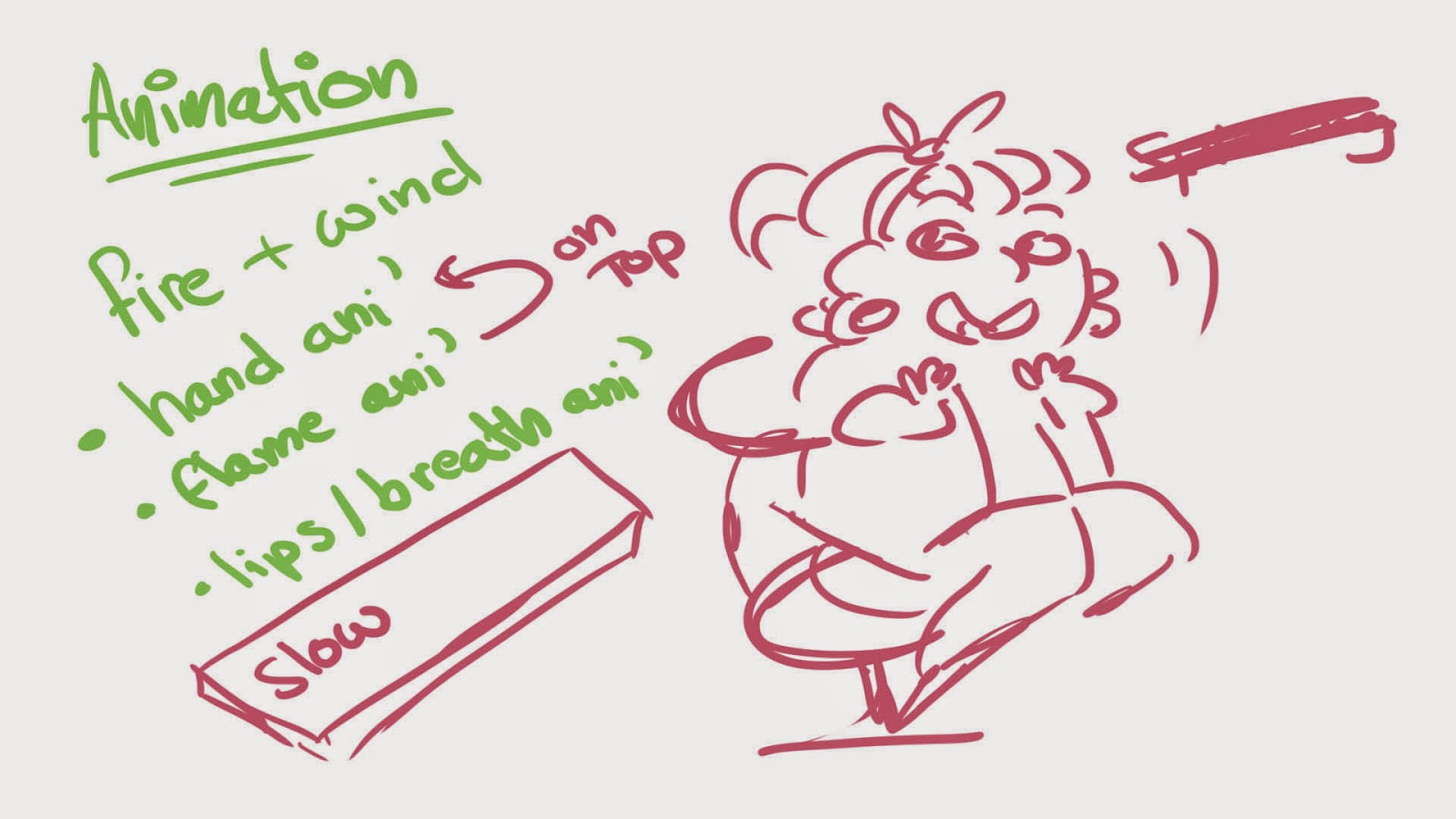
Of course, planning out an animation is equally as important as the effect you want to give to your viewers. Next I was told to create a short 3 seconds to 10 seconds animation, based on one or more 'elements'. I scribbled out a rough note or two about how I wanted this element animation to look. And settled on the idea, I wanted to involve both Fire and Wind.
I wanted to use different layers to my advantage when animating this short sequence. For example the hand is a 'still' image on a different frame and I simply animated the flames atop on a separate layer. I found it tricky to colour each frame, which I also had to do on another layer, because it was a little reparative and troublesome to keep the woman's lip the same shape compared to her skin tone. Flame animation is something I find enjoyable and I'm happy with the final result of how the flame responds to the element of wind. Over all I really enjoyed using Photoshop as an animation tool.
After my first experiment with flipbooks, where I animated a simple ball bouncing across the page; I really wanted to test myself further.
However I had no inspiration for what to animate that day... Until my very good, very SICK friend sat beside me; and began to express her discomfort and ill health. So, what sort of friend would I be if I didn't take the opportunity to draw her something? To... Make her feel slightly better. I animated a colourful blue faced girl vomiting. And I must admit I've never proud of this flipbook. So much so I even added colour.
Flipbook Animation - Girls Puke
(20 frames make up this animation, I used highlighters and cheap coloured pencils and a sharpie.)
PHOTOSHOP
After scanning the images one by one into the computer I began editing each one; cleaning up pencil marks, mistakes and even 'attempting' to fix the black ages of the paper. We also had to resize the images and mess around with the resolutions. After that it was just a simple case of lining up the images in photoshop and creating a .Gif of the animation; By using a timeline and crafting a 'timing' for each frame.
I ended up mixing 'computer' animation with my flipbook animation. Really simply by adding a speech bubble that said 'sick'. I only really did this as an experiment to see if I could mix both traditional and computer easily together. All I had to do was draw over the image with a separate layer then merge the two together; then input them into a timeline.
Next I attempted 'computer' animation, using photoshop. I had used photoshop before to draw or doodle but never to animate; so this was completely new to me. But surprisingly I found it easy and quite fun. It was pretty much CEL animation, but using layers. Sure, I had to make each layer slightly transparent but that wasn't too hard to do. In fact I really loved using photoshop to animate!
Flipbooks first appeared in 1868 under the name 'kineograph'
and was the first form of animation that wasn't based on a circler el motion - like the Phenakistoscope. Flipbooks consist of a series of images, each slightly different from the previous and when flicked though quickly; they give the illusion of movement to the viewer.
I've never worked on flipbooks before, but I understood the basic concept of the technique. We were told to first experiment with 'bouncing a ball' across the page, which is a lot harder then it looks. Basing our animation on the principles by Richard William as documented in 'The Animator's Survival Kit'.
Richard William's reference
I started off at the back of the flipbook to draw out this animation, so once the next blank page was placed over the image I could see the last image faintly - and could make adjustments to the next.
'Squash and Stretch' (rule 1 of Disney's Animation rules) is very important in this animation technique. For the ball to give the illusion of movement, it must spread out slightly across the mass it bounces against when the ball makes contact. It must also 'stretch' to give the illusion of acceleration once it has hit the mass. It's also important to remember the first bounce must be higher then the second and even the last. To really give the impression the ball has weight.
My animation of a bouncing ball is slightly off, because..
The high the ball drops is far too high.
The first bounce shouldn't give that much of an impact or an angle.
The arc of the over all animation doesn't seem very natural.
Knowing all this and learning from my first experiment with Flipbooks; I'll know where to improve my work with this media for the future.

 We also experimenting with the lighting around the objects along with what worked best placed next to another object. For example, my blue pony pin looks really good against a black textured jumper.